Skip to content
Get started

What is DTPR, and how does it work?

DTPR (Digital Trust for Places and Routines) is an open standard for describing how a technology works visually, and in plain language. Instead of dense technical specifications or terms of service, it helps answer the questions people have before they can trust how a technology is used.

How DTPR works

DTPR is a taxonomy that answers a set of questions describing a technology, a methodology for finding and asking those questions, and a visual language for displaying the answers.

  • A taxonomy

    A shared set of questions about any technology, each with a list of possible answers.

  • A methodology

    Methods and resources for building a shared understanding of any technology, built for audiences from internal teams to the public.

  • A visual language

    Consistent icons and descriptions across languages and mediums contributed to shared vocabulary about technology.

A taxonomy is a set of questions

When scientists describe an animal, they don't start from scratch. They ask whether it has fur. If it does, it's a mammal, and probably warm-blooded. They ask how many legs it has. If it has six, it's probably an insect, with a hard outer shell. Questions like these tell them what they're looking at.

DTPR works the same way. It asks one set of questions about any technology, sorted into 14 categories. Three are always answered: what the system is for, who is accountable for it, and who it is used on. The rest are answered when they apply.

Each question comes with a list of possible answers, called elements. Describing a technology means choosing the elements that fit it, and the finished description is a datachain. Here is one system, a street sensor in the fictional city of Port Alder, answering the three questions every datachain answers, followed by the rest of the questions DTPR can ask.

An example

Mobility Sensor, Millbrook, Port Alder

  1. What is the purpose of this system?

    Planning & Decision-making

  2. Who is accountable for this system?

    Port Alder Co-Lab

    Institution · Deployer

  3. Who is this system used on?

    People traveling through the street

    People · Caught incidentally

Asked when they apply

  • What is this system doing?
  • What are the risks and how are they mitigated?
  • What are your rights?
  • What captures the data this system uses?
  • What input data does this system process?
  • What algorithm or model processes the data?
  • What does this system produce?
  • How do people encounter what this system produces?
  • Who has access to the data?
  • How long is the data kept?
  • Where is the data stored?

A fictional example written by the DTPR team.

dtpr@2026-09-01-beta

A methodology built with the public

The questions didn't come from a committee. We read the academic literature, ran public workshops and talked with residents about the technology in their lives: what they wanted to know about it, and which answers felt missing or hidden. The questions they kept asking became the taxonomy's categories.

That process of co-design continues. Organizations that use DTPR run community workshops to test whether it makes sense for the places people live in. The open-source project is a living thing, improving and growing as technologies and new community needs become apparent.

  1. 1How does this technology make you feel?
  2. 2Is this information helpful?
  3. 3How easy was this information to understand?
  4. 4Was getting to the information on this page easy?
  5. 5How would you rate this experience?
  6. 6Do you trust this organization to be transparent and accountable about data privacy practices?

A visual language

Visual languages are good at communicating complex information. Think of nutrition labels. Nutritional science can be complex. If every item in a grocery store came with a ten-page report, shopping would be a lot more burdensome. A nutrition label communicates the important facts in a simple, consistent layout, making information easy to find and understand.

DTPR does the same for technology. The taxonomy structures information in a simple, consistent layout. One or more elements can be used to answer each question. Put together, these elements and categories form the datachain, creating a narrative of the technology.

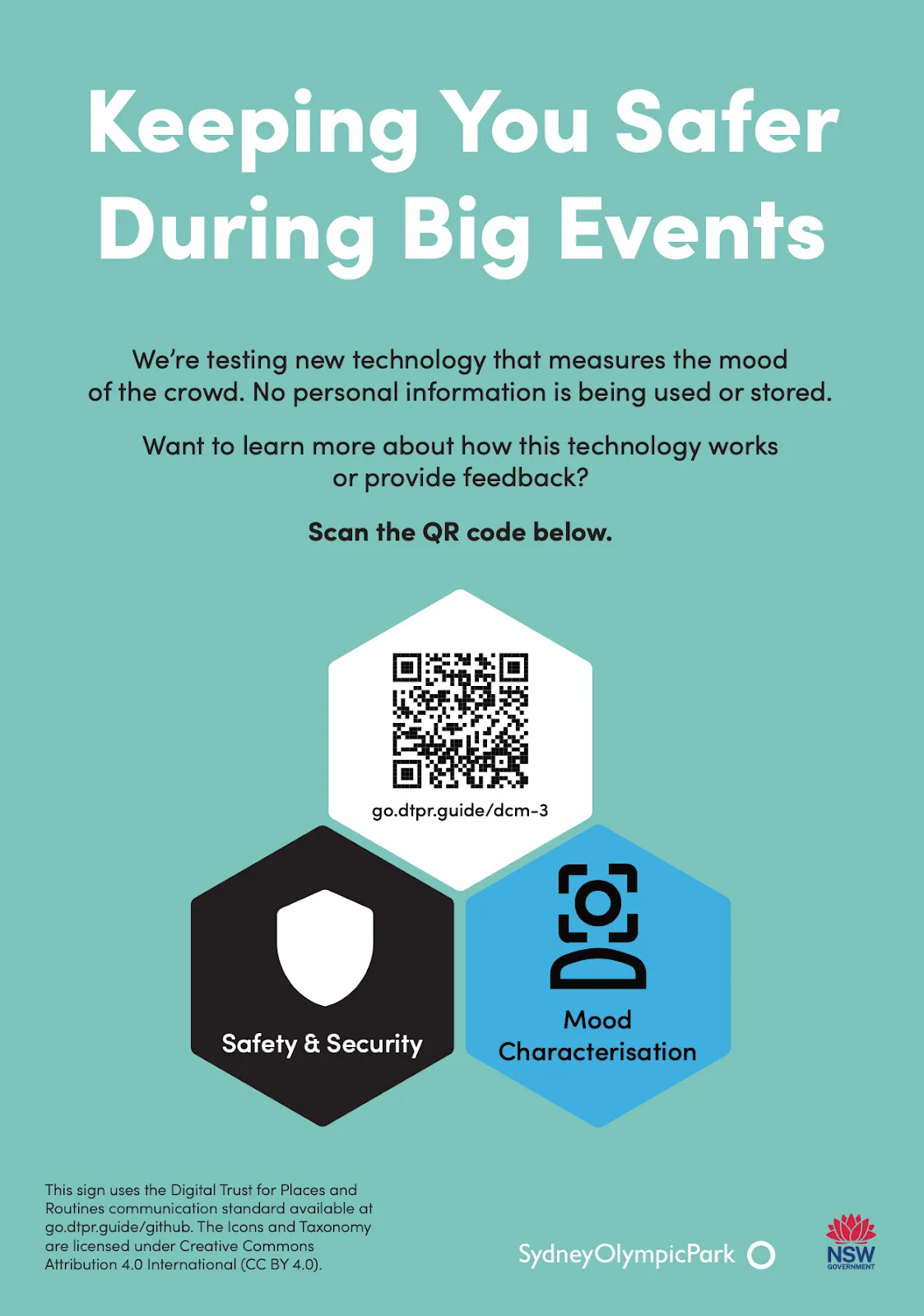
A teal sign headed "Keeping You Safer During Big Events" with three DTPR hexagons in a honeycomb, a QR code, a black Safety & Security icon and a blue Mood Characterisation icon
A DTPR sign at Sydney Olympic Park

Ways to deploy

Organizations put DTPR where people meet technology it describes: online, on signs and in workshops.

  1. Digital channel

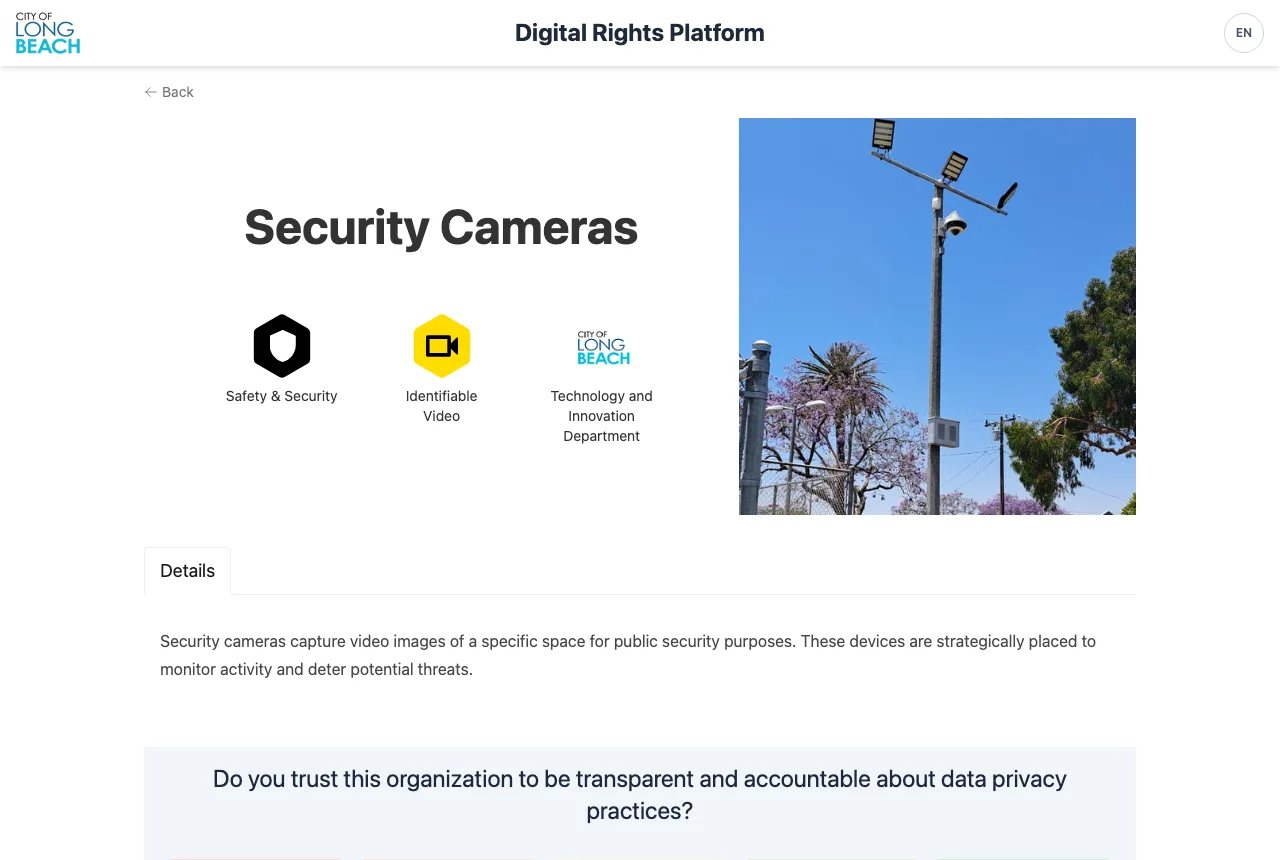
    Describe your technology on a web portal, as Long Beach and Michigan Central do, or inside the product itself.

    A page on Long Beach's Digital Rights Platform describing the city's security cameras, with three DTPR icons and a survey question
    Long Beach's Digital Rights Platform
  2. Public signage

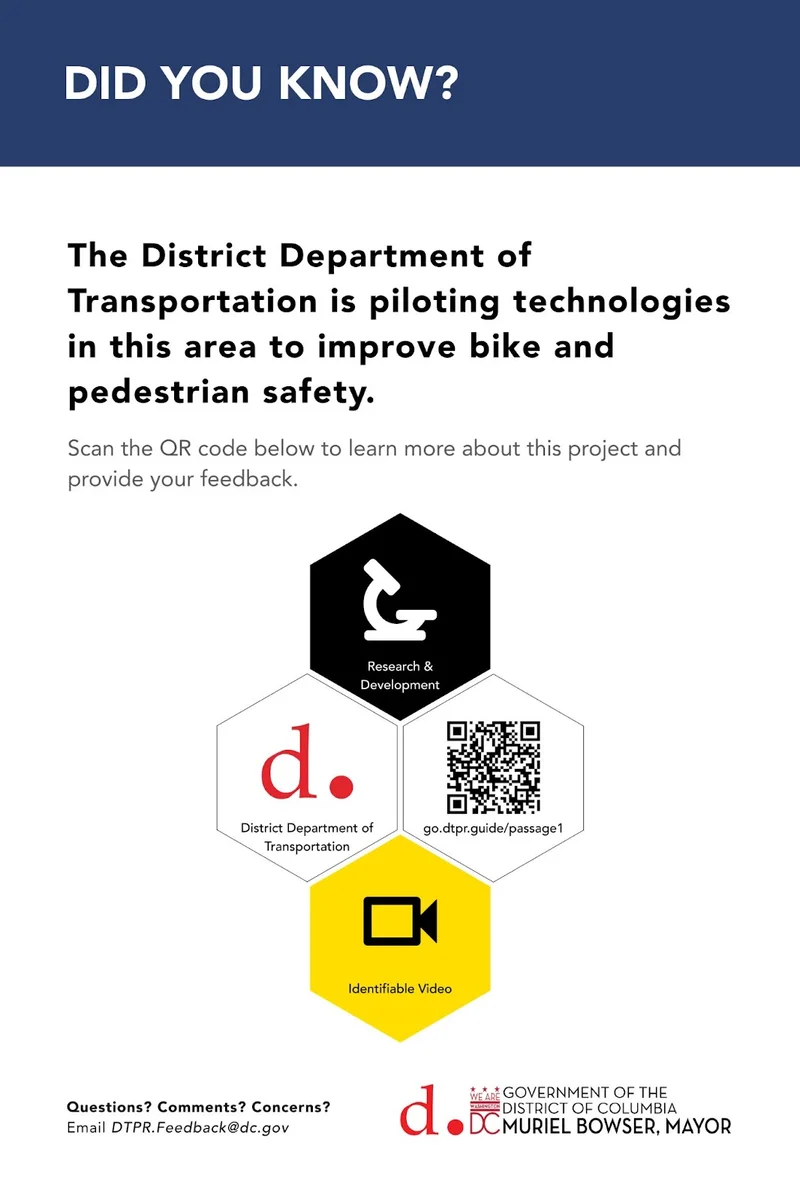
    Signs that tell people what a technology in a place is for, who is responsible, what it collects and how to give feedback.

    A District Department of Transportation sign about a bike and pedestrian safety pilot, with DTPR icons and a QR code
    A DDOT pilot sign in Washington, DC
  3. Community workshops

    Co-design sessions where residents test whether DTPR makes sense for the places they live in.

    Residents and facilitators around a table at a DTPR co-design workshop
    A DTPR co-design workshop

Where next

  • Deployer docs

    For organizations describing a technology they run, on signs, online or in workshops.

  • Developer docs

    For anyone building on the DTPR REST API, the MCP server or the agent skills.

  • Concepts

    The words DTPR uses, from element to datachain, defined in one place.