These docs are in progress. Some pages are incomplete or may change. Report a problem
Public signage
Signs for places where data is collected, from the four things a sign must say to examples from cities that have used them.
Deployer docs menu
Signage powered by DTPR can be especially powerful when data is being collected in a physical location, like a school or park or busy street. We often rely on signage to help us navigate a space. They can help us find a bathroom, know when a space is closing, or understand what types of behaviors are permitted or banned. DTPR allows to make just as clear what data might be collected in a space, such as by a camera or a public wifi network.
Through user testing sessions, we've discovered that the best DTPR signs need to meet four objectives:
- Purpose: Describe the technology's purpose
- Accountability: Identify the responsible entity
- Data Collection: Explain if the technology collects personally identifiable information
- Feedback: Provide a means for residents to share their feedback.
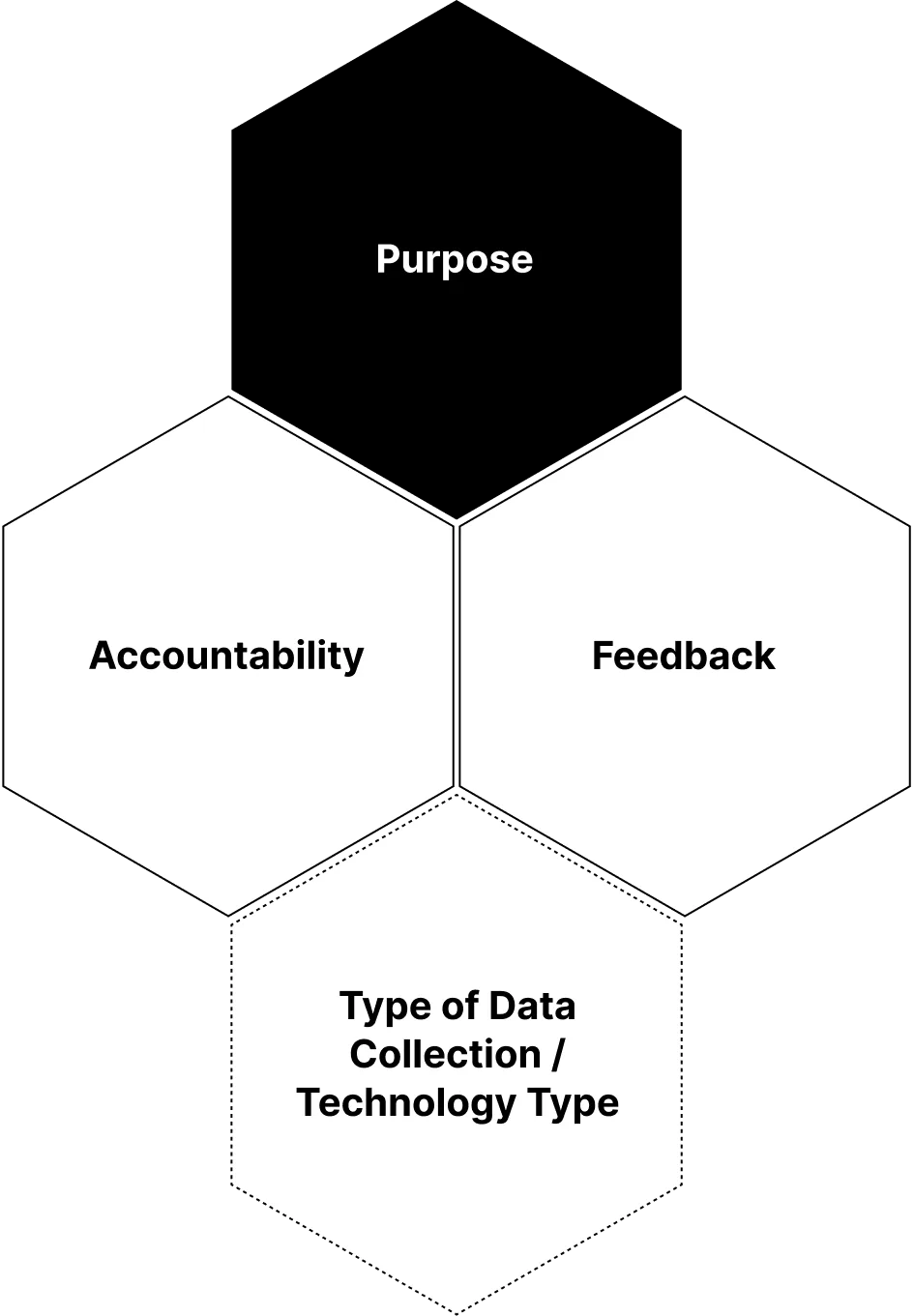
These objectives focus on what people have told us they want to know about technology in a public place, and they line up with what privacy and responsible technology experts consider essential. On a sign, each objective gets a hexagon, and the hexagons join in a honeycomb formation to show that the four belong together.
The four hexagons
- Purpose hexagon: the technology's main purpose.
- Background colour: black (
#000000) - Icon and name of the first Purpose element in the datachain
- Background colour: black (
- Accountability hexagon: the organization that answers for the technology.
- Background colour: white (
#FFFFFF) - Logo, and name if needed, of the first Accountable organization in the datachain
- Background colour: white (
- Feedback hexagon: the link to the digital channel.
- Background colour: white (
#FFFFFF) - QR code and short URL leading to the technology's page on the digital channel
- The QR code should be at least 2 cm by 2 cm so that phones can scan it
- Background colour: white (
- Data hexagon: what the technology captures.
- Icon and name of the element from Collection Technology or Input Data that best says what is captured, such as Camera or Biometric data
- Background colour: the colour of the data's Personal Information context value. Yellow (
#FFD700) for identifiable data, purple (#9575CD) for pseudonymous data, blue (#4A90D9) for anonymized data, and white (#FFFFFF) when no personal data is involved - Include this hexagon whenever the system handles personal data in any of those three forms. When it handles none, the hexagon is optional
- If the datachain has several elements that carry personal data, you can add a hexagon for each, or choose the one that matters most to the public
Examples
Three signs that follow the honeycomb, each from a different city and a different kind of technology. These signs were made before the current palette, so their yellow and blue differ slightly from today's values and the purple for pseudonymous data did not exist yet. The icons and taxonomy on the signs are licensed CC BY 4.0.
Charlotte, USA: road safety mobile app
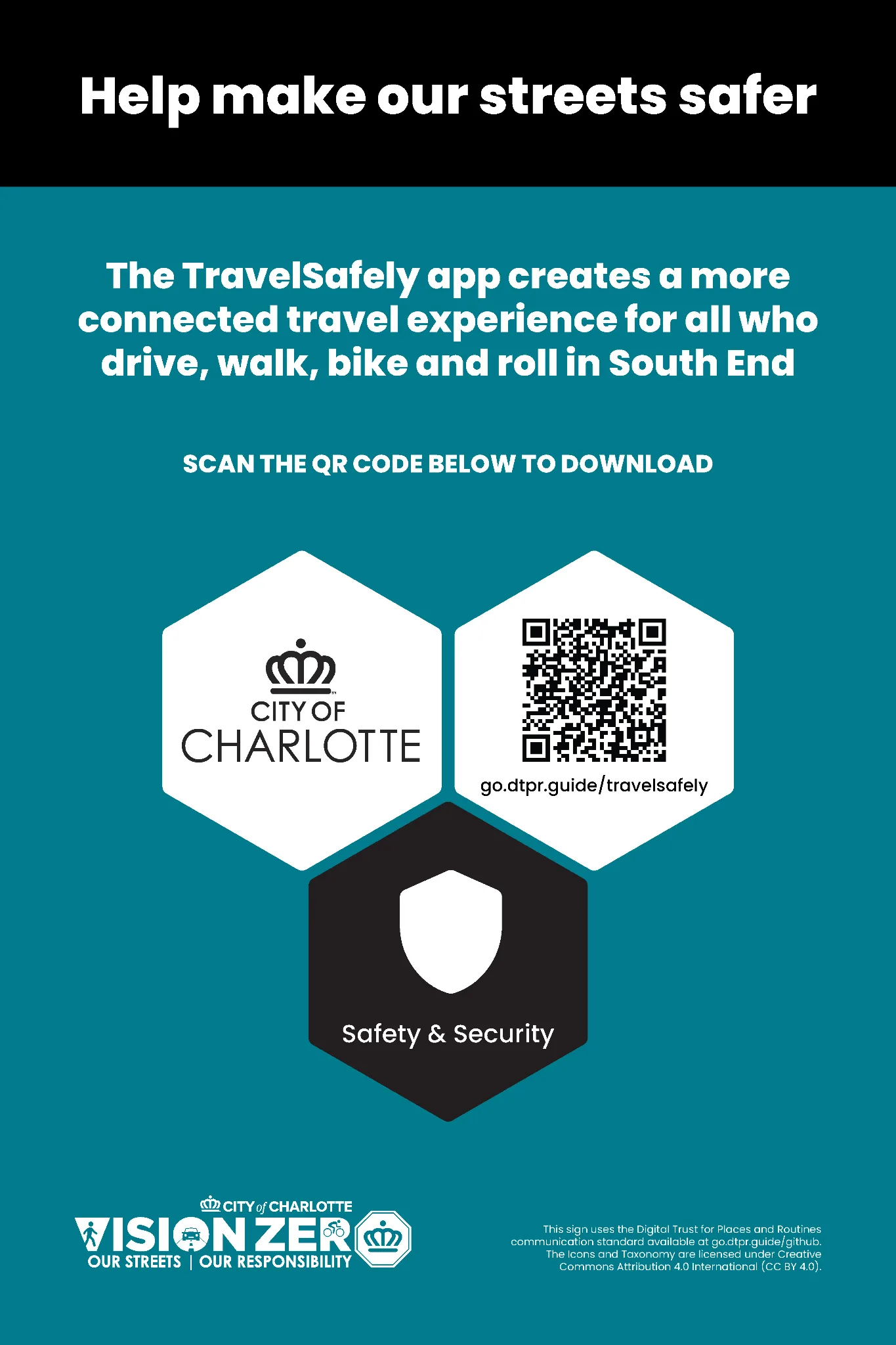
This sign, deployed in Charlotte, North Carolina, in autumn 2023, announced the pilot of a mobile app to help improve road safety. The app does not collect personal data, so the sign leaves out the data hexagon altogether and shows only purpose, accountability and feedback.
Washington, DC, USA: automated traffic analysis
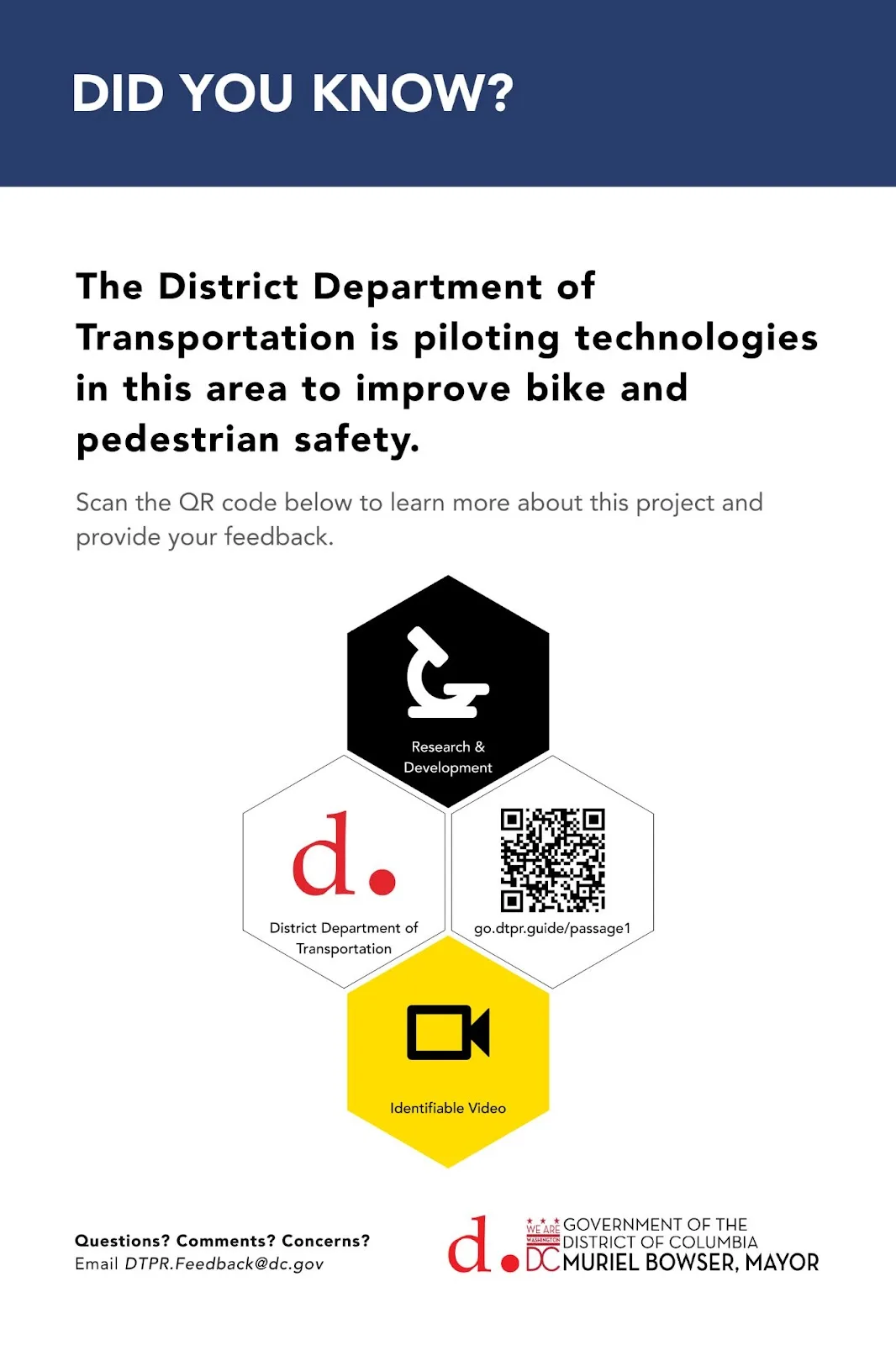
These signs told residents that the District Department of Transportation was testing technologies to improve bike and pedestrian safety.
The cameras captured identifiable video, so the data hexagon is coloured yellow, a colour recognized almost everywhere as a warning. Seeing the colour at work on a real street is a good test of whether the visual language carries. For more on why DTPR uses the colours it does, see Shapes and colours.
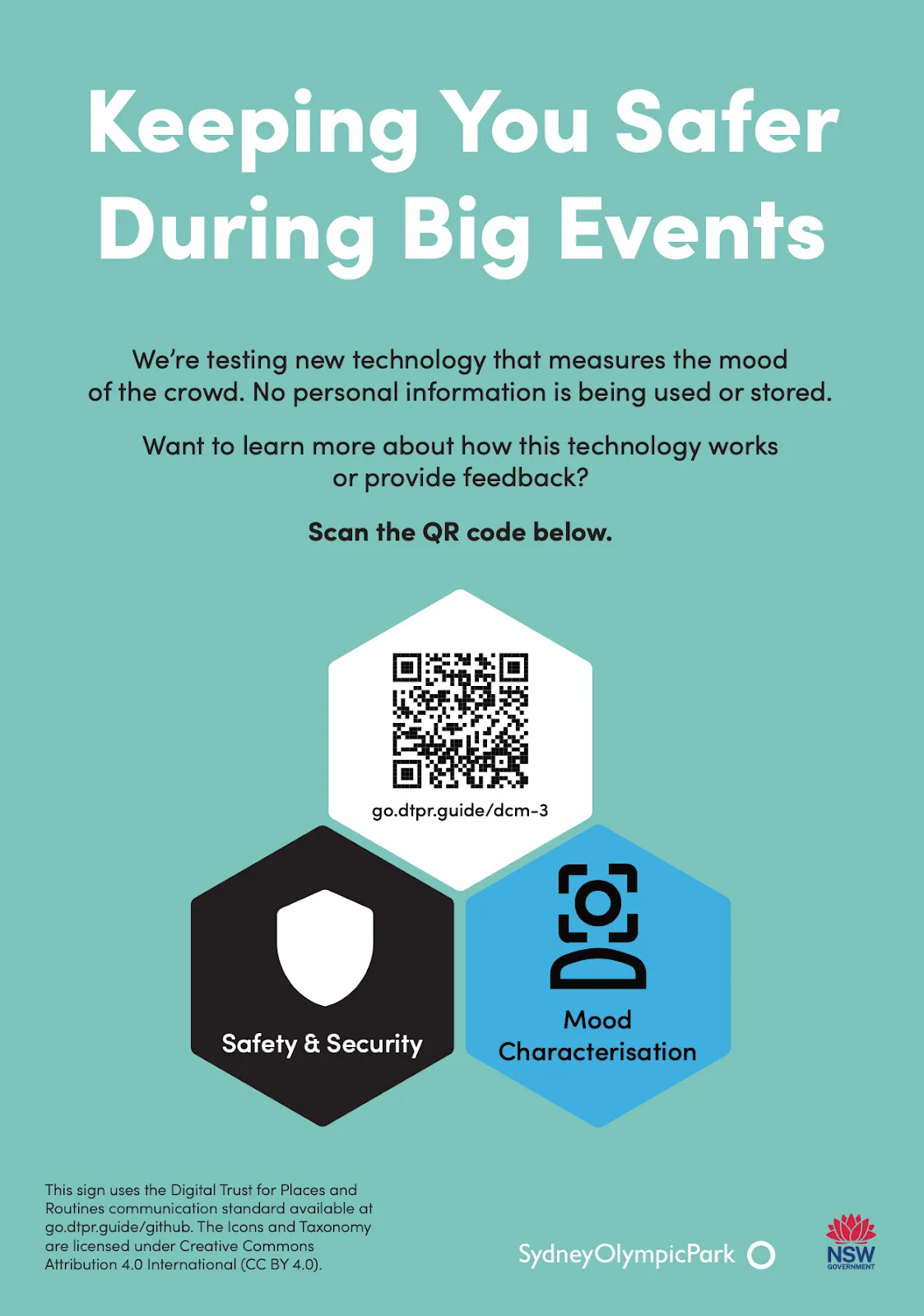
Sydney Olympic Park, Australia: crowd sentiment analysis
Here no personal data was retained, so the data hexagon is coloured blue, a colour widely associated with calm and used on signs that inform and guide. The Sydney Olympic Park team added the line "No personal information is being used or stored" alongside the blue hexagon to make the point in words as well as colour. For more on the use of colour, see Shapes and colours.
Alternative designs
Signs differ for many reasons: the space available, the limits of the medium, what the deployer most wants to get across. The five signs below meet the four objectives without following the honeycomb exactly, and show some of the room there is to adapt.
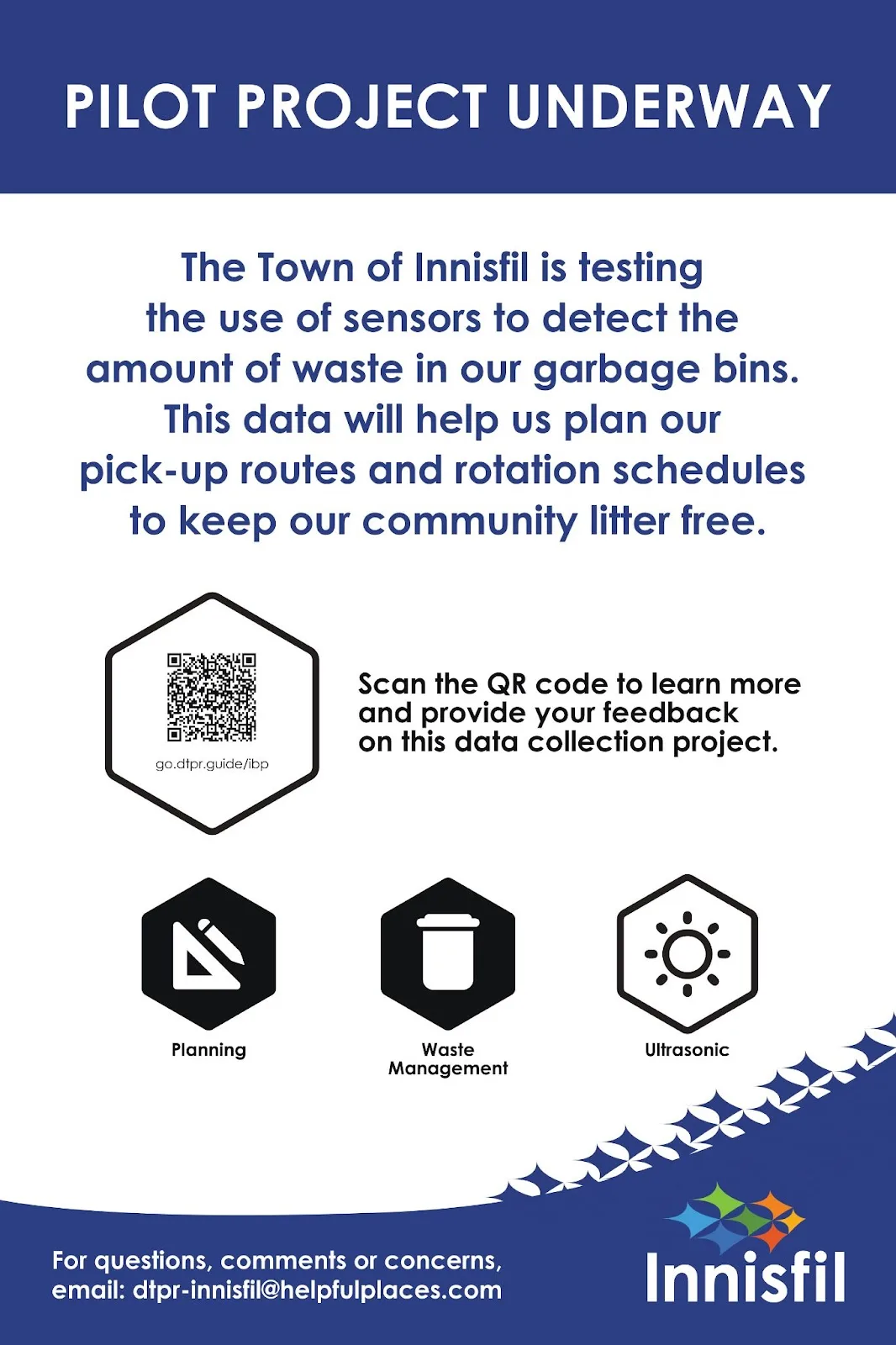
Innisfil, Canada: waste bin sensor
Innisfil wanted to make the QR code stand out and invite people to take part. The sign lifts the QR code out of the honeycomb, enlarges it, and pairs it with a caption asking for feedback. It also carries two purpose icons, because the sensor serves two purposes at once.
Even without the honeycomb, the sign conveys all four things people expect: the purpose, the accountable organization, what is captured (an ultrasonic sensor, in a white hexagon because it collects no personal data) and a way to give feedback.
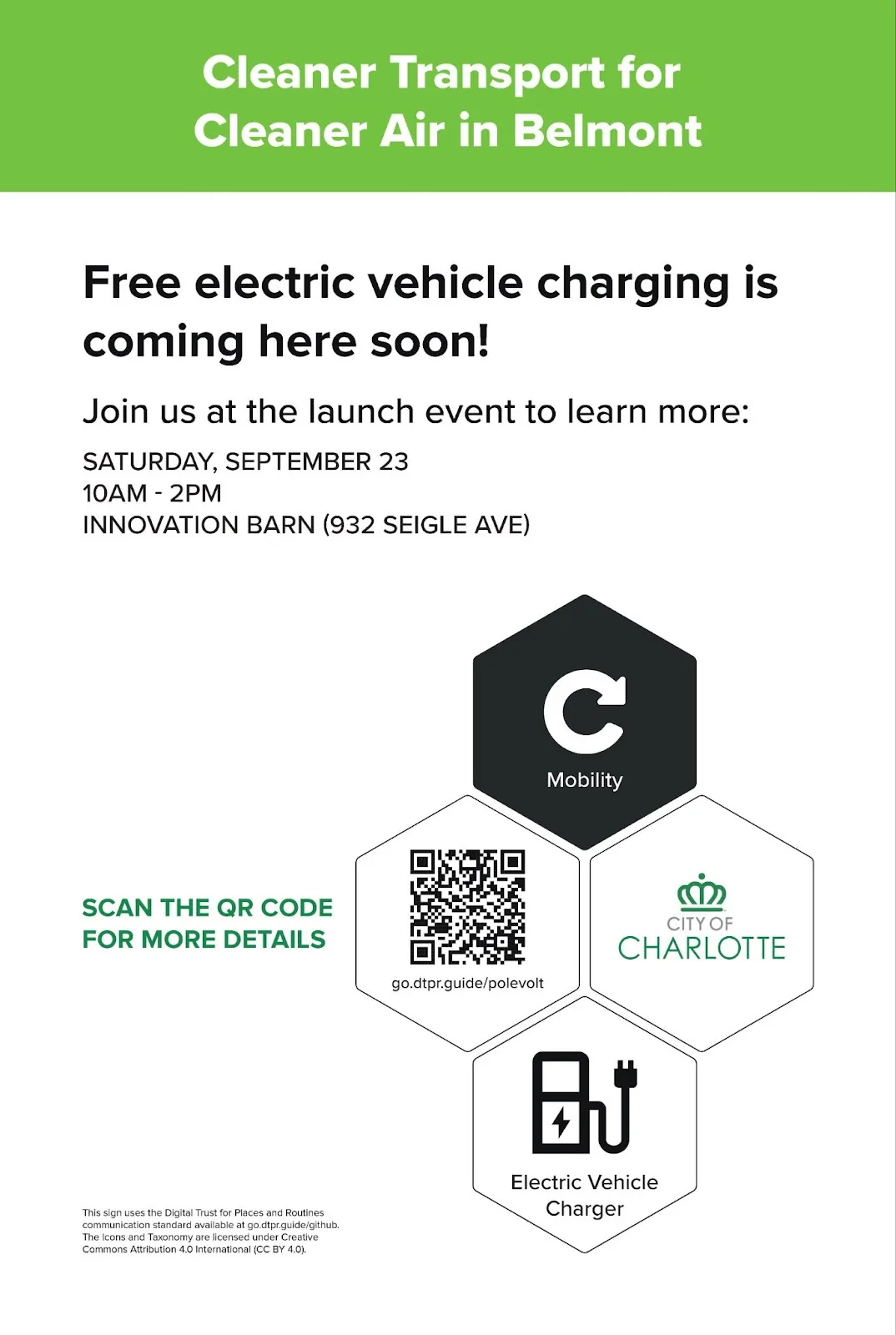
Charlotte, USA: electric vehicle charging station
This sign told residents that an electric vehicle charging station was on its way, with a camera that captures anonymized images. Following the guidance above, the data hexagon would have carried a camera icon in the blue of anonymized data. Because this was a temporary sign meant to explain what was being installed, the team used an Electric Vehicle Charger icon in that hexagon instead.
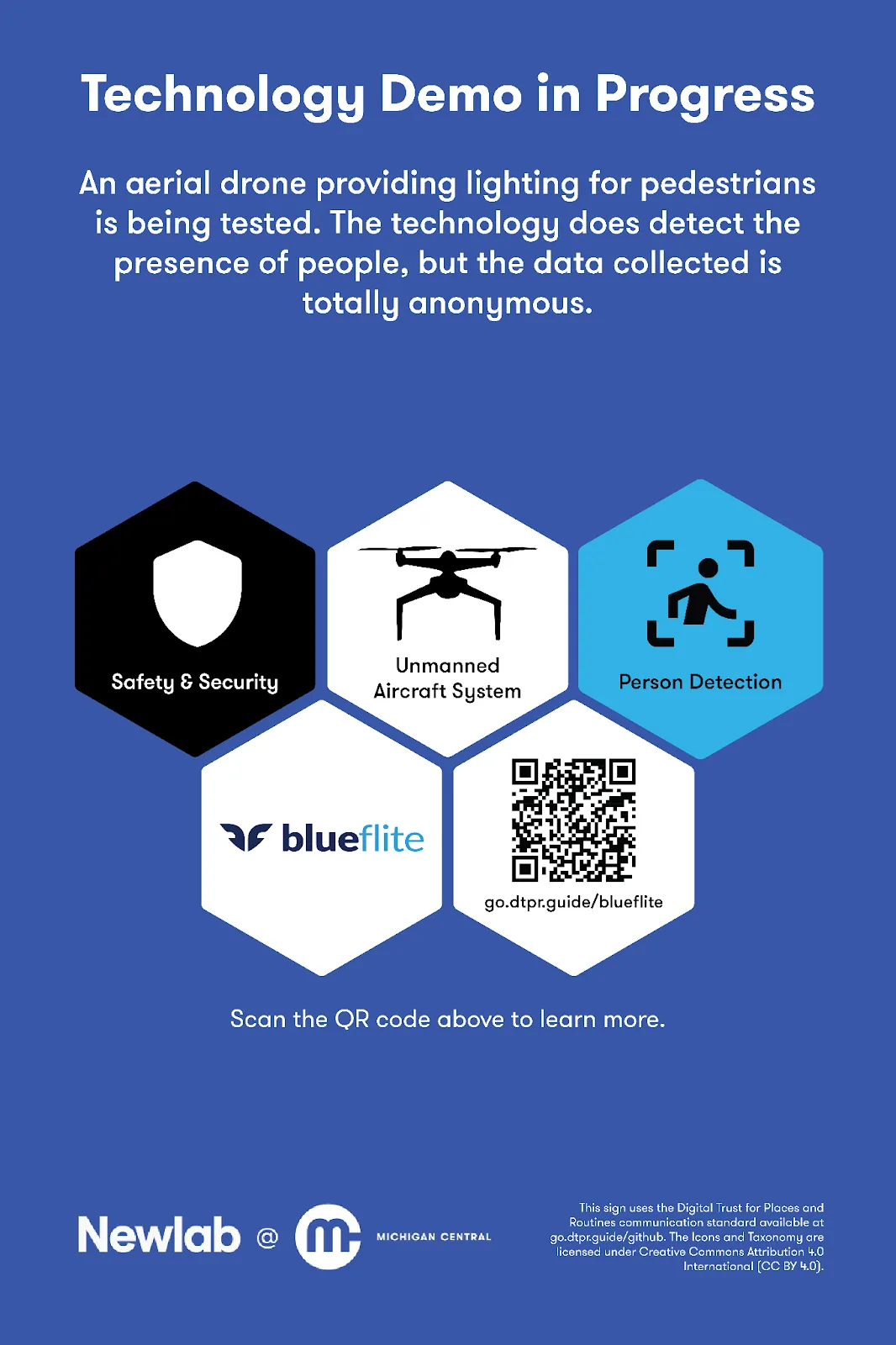
Detroit, USA: aerial drone
This sign announced the test of an aerial drone that provides lighting for pedestrians. It stands out for carrying two data hexagons. One shows the drone itself, since not everyone will know what the technology is. The other, coloured blue, says that the drone detects people and that the data it collects is anonymized. Together they give a fuller picture than either would alone.
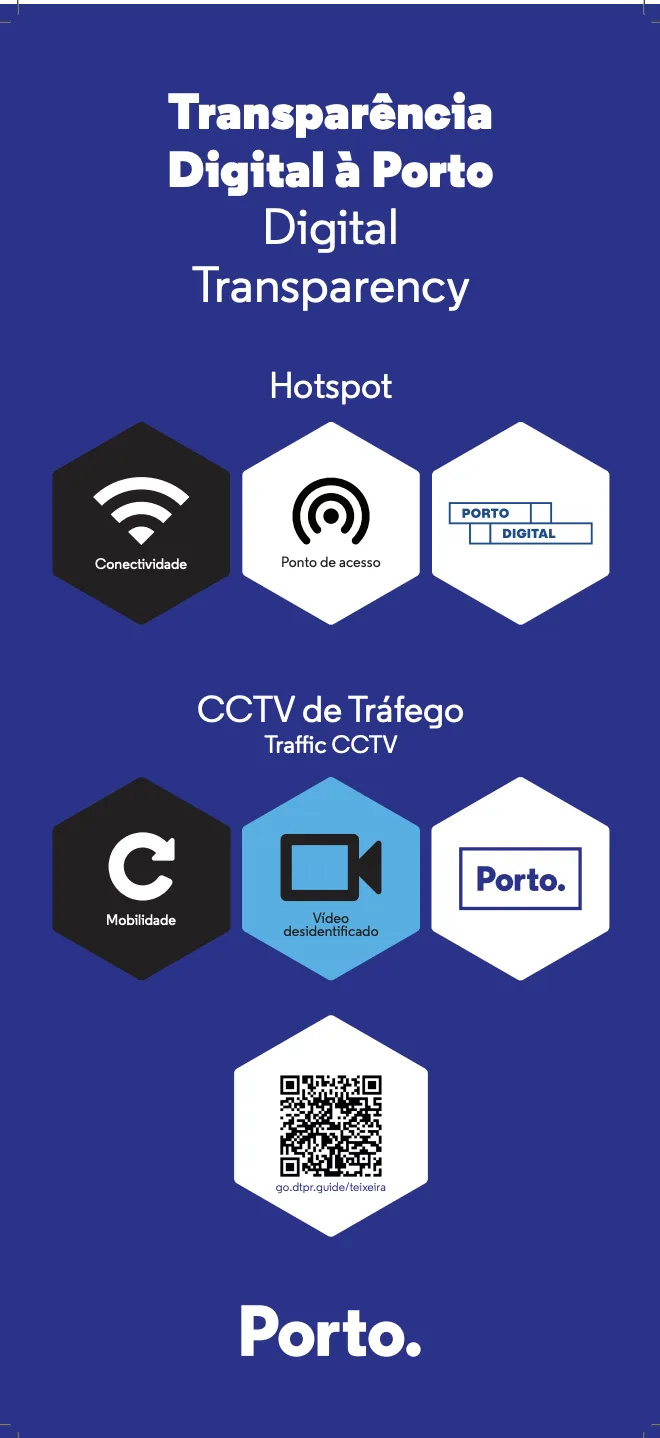
Porto, Portugal: hotspot and traffic CCTV
This sign describes two technologies, public wifi and traffic CCTV, and uses one shared QR code that leads to a portal covering both. DTPR signs usually describe one technology each, but Porto Digital wanted to see how a sign could support public awareness across whole zones of the city (A, B and C). Technologies like wifi cover large areas, so repeating a sign throughout a zone was impractical. Each zone got a single consolidated sign instead of one per technology, which kept the number of signs down.
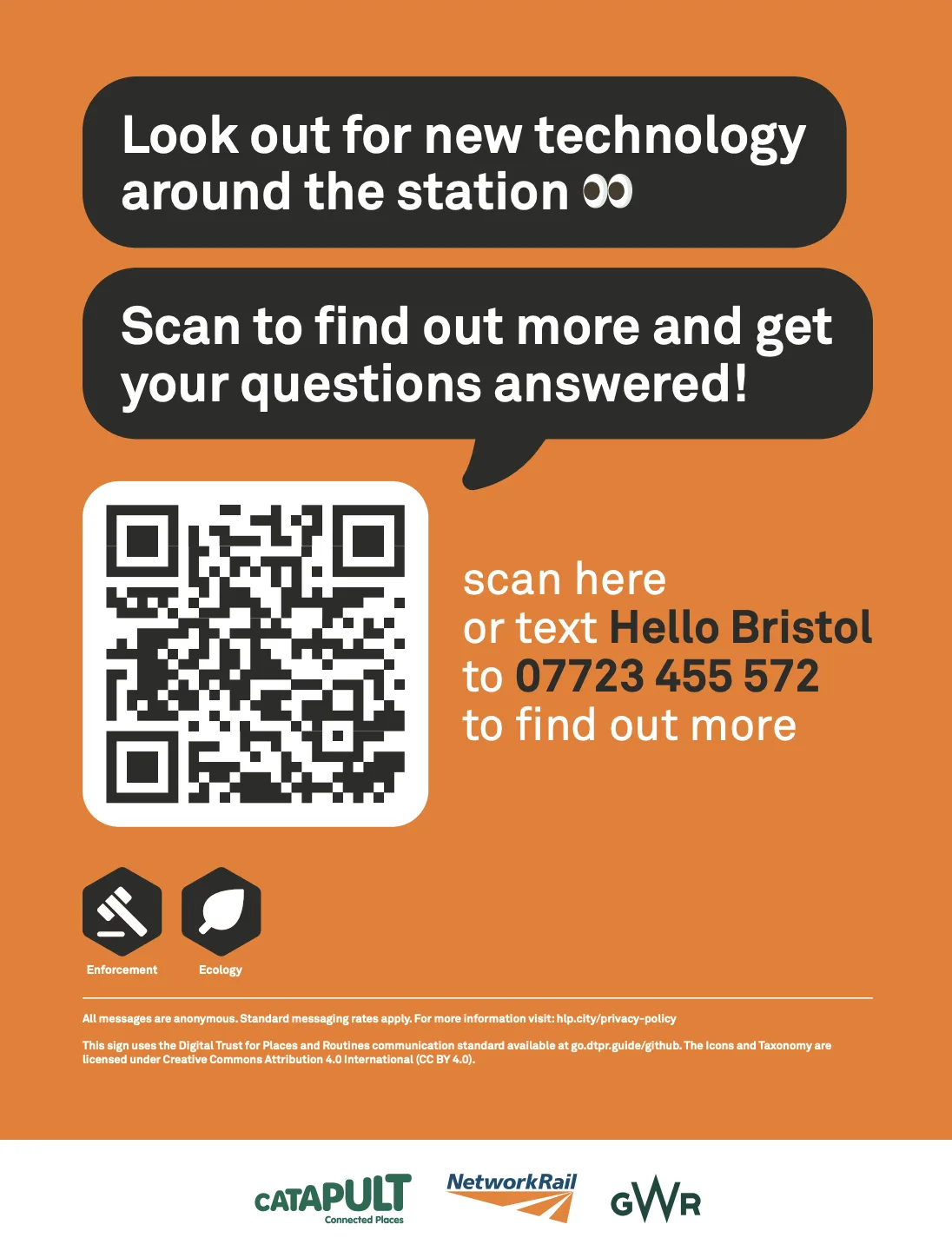
Bristol, England: general technology
This sign at Bristol railway station was designed as a general marker for all the technologies in the station, with a large QR code as a straightforward entry point for visitors. Rather than carrying detailed information about any one technology, it connects people to a chatbot that answers general questions about the station. That makes the sign flexible: it does not need updating as technologies come and go. The bold headline and oversized QR code also make it easy to spot and scan in a busy station.